 EN
EN Български
 Čeština
 Dansk
Dansk Deutsch
 Ελληνικά
 Español
 Eesti
Eesti Suomi
Suomi Français
 Gaeilge
 Hrvatski
 Magyar
 Italiano
 Lietuvių
 Latviešu
 Malti
Malti Norsk bokmål
 Nederlands
 Polski
 Português
 Română
 Slovenčina
 Slovenščina
 Srpski
 Svenska
 Türkçe
 Українська
WordPress security with Shieldix AI
Stop attacks before they reach WordPress.
A firewall, a file scanner and one-click hardening on your site, and Shieldix AI that explains serious incidents and blocks the attacker for you.
- OWASP Core Rule Set
- 28 languages
- GDPR by design
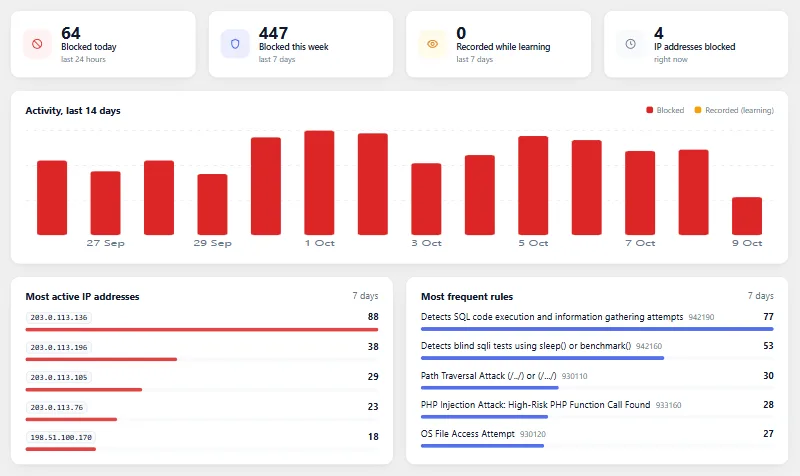
The Shieldix plugin
Three layers of protection in one plugin
Firewall
Checks requests and stops attacks before they reach your site.
- OWASP Core Rule Set, rate limits and fake-bot detection
- Learns your site for 7 days before it blocks.
- One line in wp-config.php switches it off when you need to
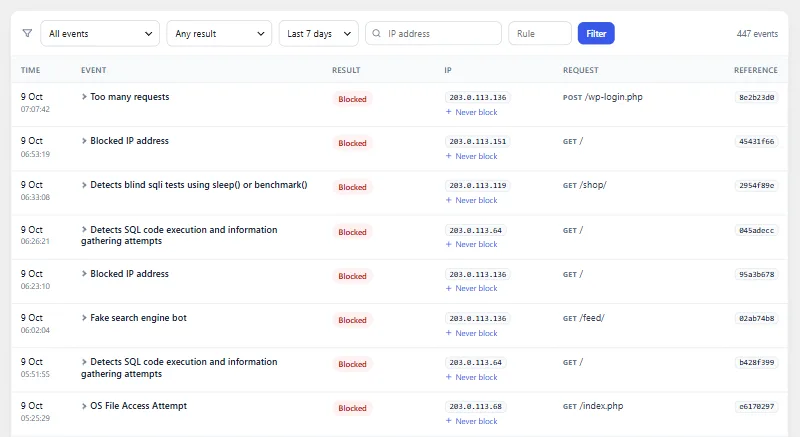
File scanner
Finds changed and suspicious files and tells you about known weak spots.
- Compares WordPress and your plugins with their official checksums
- Finds web shells and PHP hidden in uploads
- Restores original files and keeps a quarantine
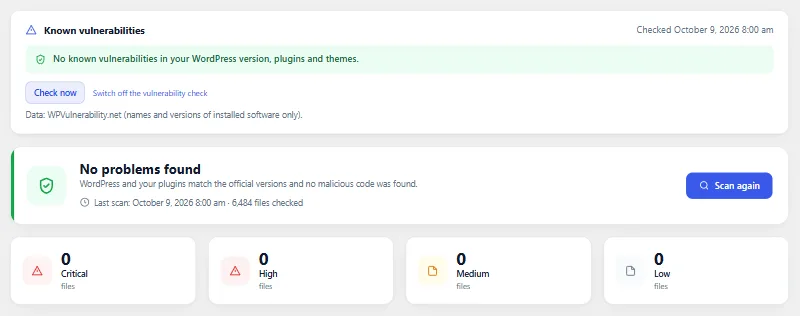
One-click hardening
Closes common ways in. Each measure explains itself and can be turned off again.
- Turns on the recommended measures with one click
- Refuses uploads that hide scripts
- A read-only check of your site's setup
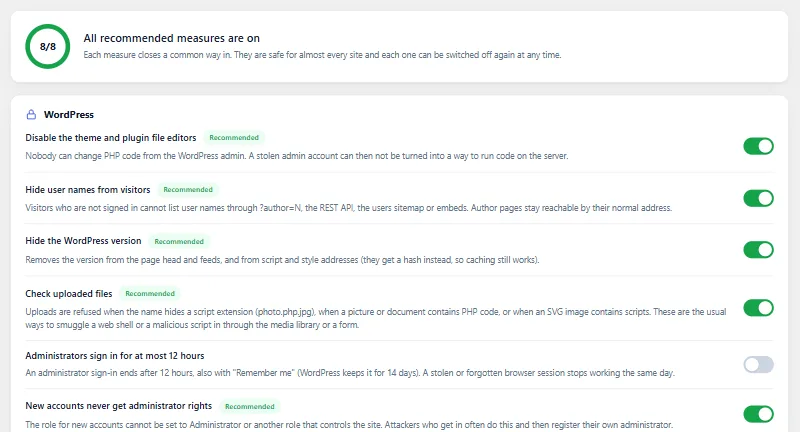
Shieldix Cloud
An analyst for serious incidents
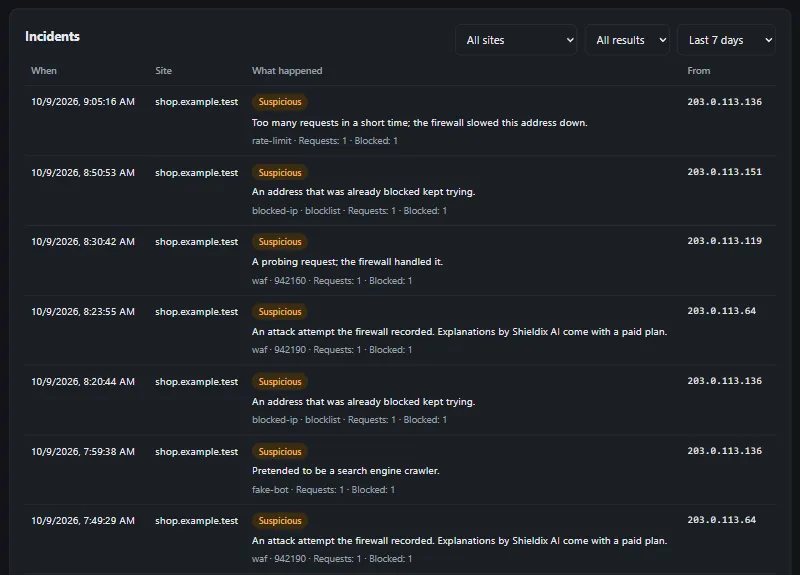
On paid plans, Shieldix AI looks at serious firewall incidents and explains in plain words, in your account's language, what happened.
- When it is sure, Shieldix AI blocks the attacking address on that site for 24 hours. It blocks at most 20 addresses a day per site, and never the address of a server your sites run on, a private address or one on your never-block list.
- Shared list of attackers across protected sites
- One panel for all your sites, with two-step sign-in
Why Shieldix
Not listed by the other products we compared.
Based on their official pages, checked on 6 October 2026.
Shows which servers your site contacts via WordPress
Records the outside servers that WordPress, plugins and themes contact through WordPress's HTTP functions, shows which one made each call, and can email you when a new server appears.
Protected in three steps
-
Choose a plan
One plan per site, monthly or yearly, paid with PayPal.
-
Install the plugin
Add Shieldix to WordPress and turn on the recommended measures in one click.
-
Connect the site
Enter the code from your Shieldix Cloud panel and Shieldix AI starts watching.
Simple pricing, per site
Every plan includes the plugin, the Cloud panel and Shieldix AI.
Pro
£10 / month
Shieldix AI and the shared list for one site
Business
£24 / month
More AI analyses per month
Agency
£49 / month
For sites you run for clients
Subscriptions open soon
Questions
What does a plan include?
The Shieldix plugin with the firewall, file scanner, hardening and alerts, the Shieldix Cloud panel for all your sites, Shieldix AI analyses each month and the shared list of attackers.
What is sent to Shieldix Cloud?
Only from a site you connect: firewall events without query strings, user agents or captured values. Nothing is sent until you connect a site and agree.
Can the firewall lock me out?
It learns for 7 days before it blocks, never blocks addresses on your "Never block" list, and one line in wp-config.php switches everything off.
How do I pay and cancel?
With PayPal, monthly or yearly. You can cancel any time in My account.
Protect your WordPress today
Choose a plan for your site and connect it in minutes.